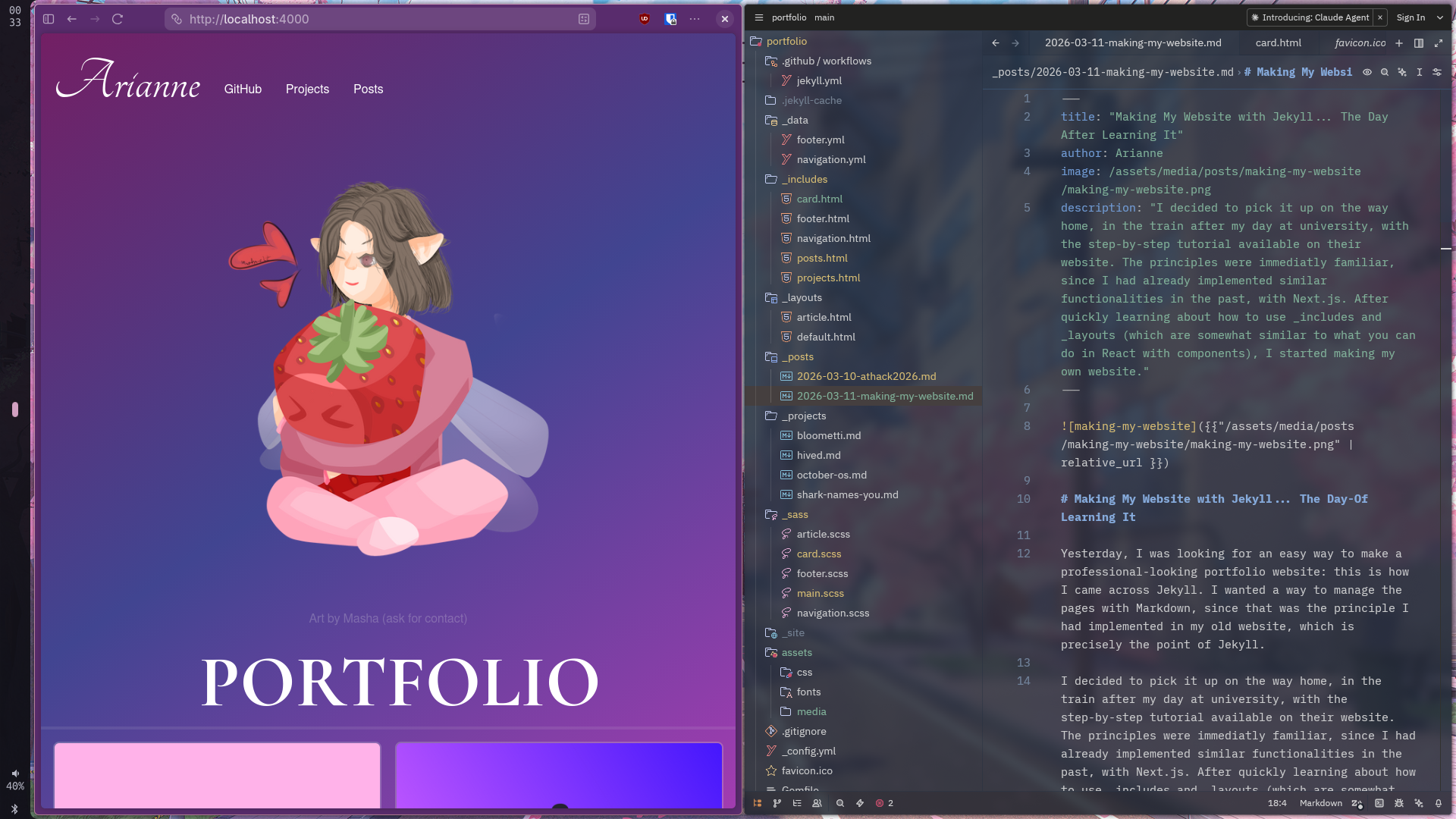
Making My Website with Jekyll… The Day-Of Learning It
Yesterday, I was looking for an easy way to make a professional-looking portfolio website: this is how I came across Jekyll. I wanted a way to manage the pages with Markdown, since that was the principle I had implemented in my old website, which is precisely the point of Jekyll.
I decided to pick it up on the way home, in the train after my day at university, with the step-by-step tutorial available on their website. The principles were immediatly familiar, since I had already implemented similar functionalities in the past, with Next.js. After quickly learning about how to use _includes and _layouts (which are somewhat similar to what you can do in React with components), I started making my own website.
First, I used the posts baked-in functionality to make blog posts. I then used the collections functionality to do the same thing with my projects.
.
├── _posts/
│   ├── 2026-03-10-athack2026.md
│   └── 2026-03-11-making-my-website.md
└── _projects/
    ├── bloometti.md
    ├── hived.md
    ├── october-os.md
    └── shark-names-you.md
After that, I made the pages that display each blog posts’ and projects’ content. Since the listing and details pages were exactly the same, I generalized it with an article layout, that can display a project or a blog post, and a card component, that can display a single information card for each project/blog post.
This was enough for the evening and I went to sleep.
With this being done, all that was left to do was to tie everything up with some neat CSS. With my multiple years of working with it (which some might call years of suffering), this wasn’t too long. I made everything responsive by using media queries and testing on each screen size. For example: this code adapts the behaviour of the cards list depending on the screen size. Small screens have only one column, while bigger screen can have multiple.
@media screen and (min-width: 601px) {
    .cards-list {
        display: grid;
        grid-template-columns: repeat(2, 1fr);
        align-items: stretch;
    }
}

@media screen and (min-width: 1200px) {
    .cards-list {
        display: grid;
        grid-template-columns: repeat(3, 1fr);
        align-items: stretch;
    }
}

@media screen and (min-width: 2000px) {
    .cards-list {
        display: grid;
        grid-template-columns: repeat(4, 1fr);
        align-items: stretch;
    }
}
I also discovered a cool tool for generating CSS gradients easily: cssgradient.io, and another tool to compress my images under 100kb on average, to save data and optimize performance on slower connections: squoosh.app
Now that my website was done, I needed to deploy it! For this, I used GitHub Pages, which is a free way of hosting static websites. To set it up, I needed to set up a CI pipeline to build and upload my website. Thankfully, a lot of GitHub Actions templates are available, including for Jekyll. The only problem was that the Setup Ruby step had an older release tag hard-coded into it that prevented me to use the correct Ruby version for my project, so I needed to update it from:
- name: Setup Ruby
  # https://github.com/ruby/setup-ruby/releases/tag/v1.207.0
  uses: ruby/setup-ruby@4a9ddd6f338a97768b8006bf671dfbad383215f4
  with:
    ruby-version: '3.1' # Not needed with a .ruby-version file
    bundler-cache: true # runs 'bundle install' and caches installed gems automatically
    cache-version: 0 # Increment this number if you need to re-download cached gems
to:
- name: Setup Ruby
  uses: ruby/setup-ruby@v1
  with:
    ruby-version: "3.4.8" # Not needed with a .ruby-version file
    bundler-cache: true # runs 'bundle install' and caches installed gems automatically
Now, anytime I push code to the main branch, this Github Action will build and deploy a new version of my website. After getting this set up, I unlinked my arianne.dev domain name from my old website and linked it to this new website by creating a CNAME DNS record.
So, after a little less than 24 hours, my website was finally available to the world! :)
You can view the source code over here.